

In Korea, credit card payment procedure will be performed in three stages.
1.
Card information Authentication
We will explain in detail through the demo video below.
2.
Authorize(Approval) the authentication information
We will explain in detail through the demo video below.
3.
Capture
Capture are made automatically at midnight on the day of payment. (You can also request manually using the API without using automatic way.)

Manual Capture Period
In Korea, credit card payments can be manually captured freely within a month. If not, card companies will not accept the request due to the policy.
** Partial capture is not supported.
** The demo videos below are explained in a Toss Payments hosted integration method
PC demo video
•
STEP 1. (00:00~00:04) / merchant checkout page
00:00~00:04) / merchant checkout pageWhen customer press the "Pay" button, call the tosspayments Javascript SDK Function as below to open Toss Payments payment window.
tossPayments.requestPayment('CARD', {
amount: 50000,
orderId: 'TossPaymentsTest26287062',
orderName: '토스 티셔츠',
customerName: '김토스',
successUrl: 'http://localhost:8080/success',
failUrl: 'http://localhost:8080/fail',
})
JavaScript
복사
•
STEP 2. (00:05~00:17) / Toss Payments hosted payment widow
00:05~00:17) / Toss Payments hosted payment widow In Toss Payments payment window, customer will prepare the payment in the following order.
i.
agree to the terms and conditions
ii.
select the card company or bank of the card to pay.
iii.
set the card installment period
After complete the above preparation, customer will access to the card company hosting page for card authentication.
•
STEP 3. (00:18~00:34) / Korea card company (Samsung card) hosting page
00:18~00:34) / Korea card company (Samsung card) hosting pageFrom the Toss Payments payment window, it will be redirected to the hosting page of the credit card company selected by the customer. Customer need to authenticate their card information on the hosting page of the credit card company.
The most common authentication method in Korea is to use the mobile app of the credit card company. Below is the procedure on the PC.
i.
As in the above video, the QR code will be displayed on the PC monitor and user will scan it via the card company app. (The image below is a QR code scanning function provided by the card company app)
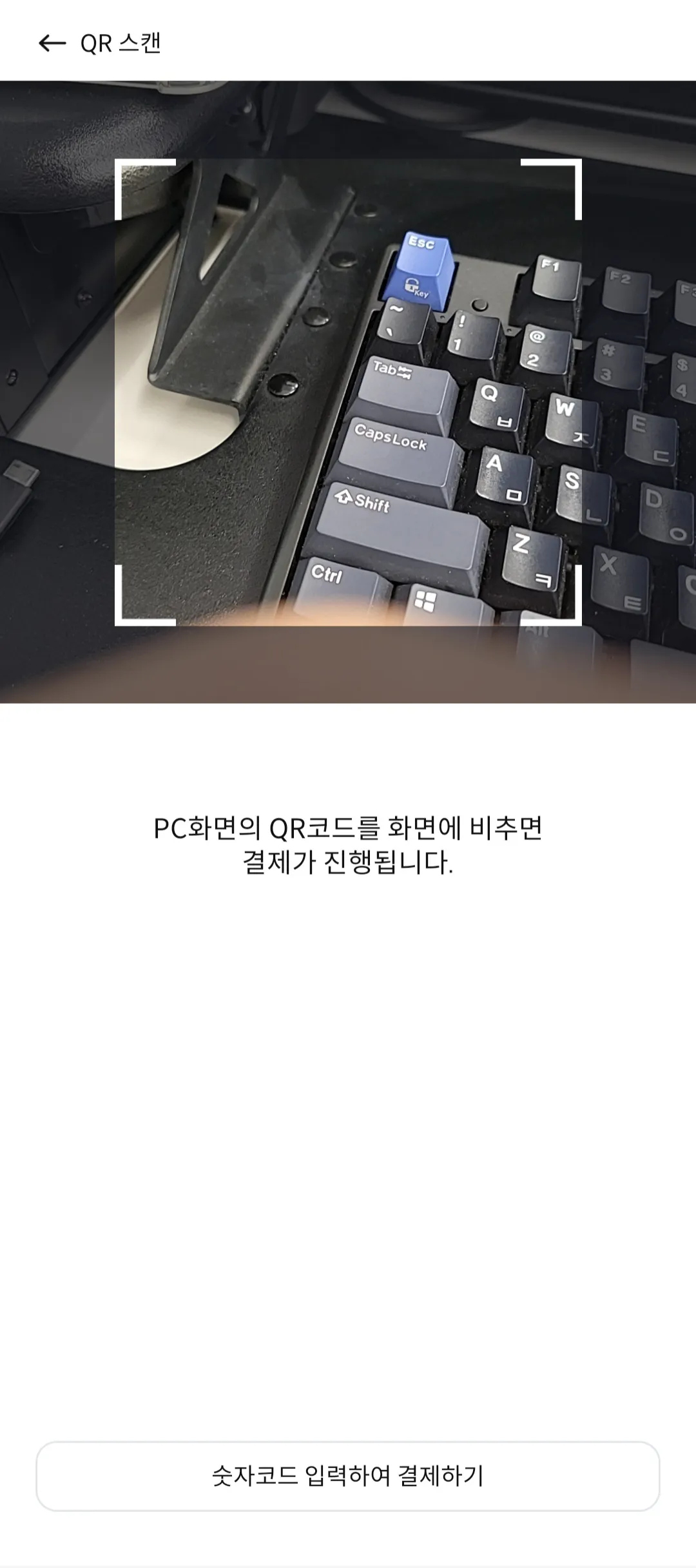
ii.
When customer scan the QR code, payment information will be delivered to the credit card company app. If customer check the payment information and enter a biometric authentication or PIN number, the authentication step will be completed. (User already registered payment method, thus the card company's app already has the customer's card information.)
** In addition to using the card company app, there are other methods for authentication, such as entering all card information (16 digits, cvc..). However still using card company app is most popular way in Korea.
•
STEP4. (00:35~00:39) / merchant result page
00:35~00:39) / merchant result pageAfter completing authentication action in step3, it will be redirected to successUrl or failUrl that you set in step1. If authentication is successful, then web page will redirect to successUrl with key-value(authentication information) as query string parameters.
https://localhost:8080/success?paymentKey=5zJ4xY7m0kODnyRpQWGrN2xqGlNvLrKwv1M9ENjbeoPaZdL6&orderId=TossPaymentsTest26287062&amount=50000
The payment will be completed only when the authorization step is performed with the above key-values. The authorization will be concluded by invoking the API below.
curl --request POST \
--url https://api.tosspayments.com/v1/payments/confirm \
--header 'Authorization: Basic {{api Key}}' \
--header 'Content-Type: application/json' \
--data '{"paymentKey":"5zJ4xY7m0kODnyRpQWGrN2xqGlNvLrKwv1M9ENjbeoPaZdL6","orderId":"TossPaymentsTest26287062","amount":50000}'
JavaScript
복사
If the API call is successful, then the response data of the transaction will be returned in json format. (doc : https://docs.tosspayments.com/reference)
{
"mId": "tosspayments",
"version": "2022-11-16",
"paymentKey": "5zJ4xY7m0kODnyRpQWGrN2xqGlNvLrKwv1M9ENjbeoPaZdL6-rzzQzk3tm",
"status": "DONE",
"lastTransactionKey": "wh_MbwYWWfc9rhnqxVuMN",
"orderId": "TossPaymentsTest26287062",
"orderName": "토스 티셔츠",
"requestedAt": "2022-06-08T15:40:09+09:00",
"approvedAt": "2022-06-08T15:40:49+09:00",
"useEscrow": false,
"cultureExpense": false,
"card": {
"issuerCode": "61",
"acquirerCode": "31",
"number": "12345678****789*",
"installmentPlanMonths": 0,
"isInterestFree": false,
"interestPayer": null,
"approveNo": "00000000",
"useCardPoint": false,
"cardType": "신용",
"ownerType": "개인",
"acquireStatus": "READY",
"amount": 15000
},
"virtualAccount": null,
"transfer": null,
"mobilePhone": null,
"giftCertificate": null,
"cashReceipt": null,
"discount": null,
"cancels": null,
"secret": null,
"type": "NORMAL",
"easyPay": null,
"country": "KR",
"failure": null,
"isPartialCancelable": true,
"receipt": {
"url": "https://dashboard.tosspayments.com/sales-slip?transactionId=KAgfjGxIqVVXDxOiSW1wUnRWBS1dszn3DKcuhpm7mQlKP0iOdgPCKmwEdYglIHX&ref=PX"
},
"checkout": {
"url": "https://api.tosspayments.com/v1/payments/CF1YbsQcktc-rzzQzk3tm/checkout"
},
"currency": "KRW",
"totalAmount": 15000,
"balanceAmount": 15000,
"suppliedAmount": 13636,
"vat": 1364,
"taxFreeAmount": 0,
"taxExemptionAmount": 0,
"method": "카드"
}
JSON
복사
Sample Response Data
If the API call is fail, then error code and message will responded. You can see the list in below link.

Mobile demo video
•
STEP 1. (00:00~00:04) / merchant checkout page
00:00~00:04) / merchant checkout pageSame as PC part description
•
STEP 2. (00:05~00:10) / Toss Payments hosted payment widow
00:05~00:10) / Toss Payments hosted payment widow Same as PC part description
•
STEP 3. (00:11~00:24) / Korea card company (Samsung card) hosting page
00:11~00:24) / Korea card company (Samsung card) hosting pageIt is almost the same as the explanation of the PC part, but instead of scanning QR code on PC screen with a phone, it will be redirected from the mobile web(or app) to the card company's app.
•
STEP4. (00:25~00:28) / merchant result page
00:25~00:28) / merchant result pageSame as PC part description